Step 9. High-priority OSPF router joins after OSPF DR/BDR election
Goals
The goal of this step is to demonstrate that OSPF DR/BDR elections are not preemptive.
Once a DR and BDR have been elected on a multi-access network, they remain in those roles even if a router with higher priority joins the network later. The new router will not trigger a re-election. A new election only occurs when the current DR or BDR fails or is removed from the network.
This behavior promotes stability in the OSPF network, preventing frequent re-elections that could cause routing disruptions.
Configuration
This configuration is based on Step 6. Router R6 has a higher priority than the other routers but is configured to start OSPF later (at t=60s), after the other routers have already completed their DR/BDR election.
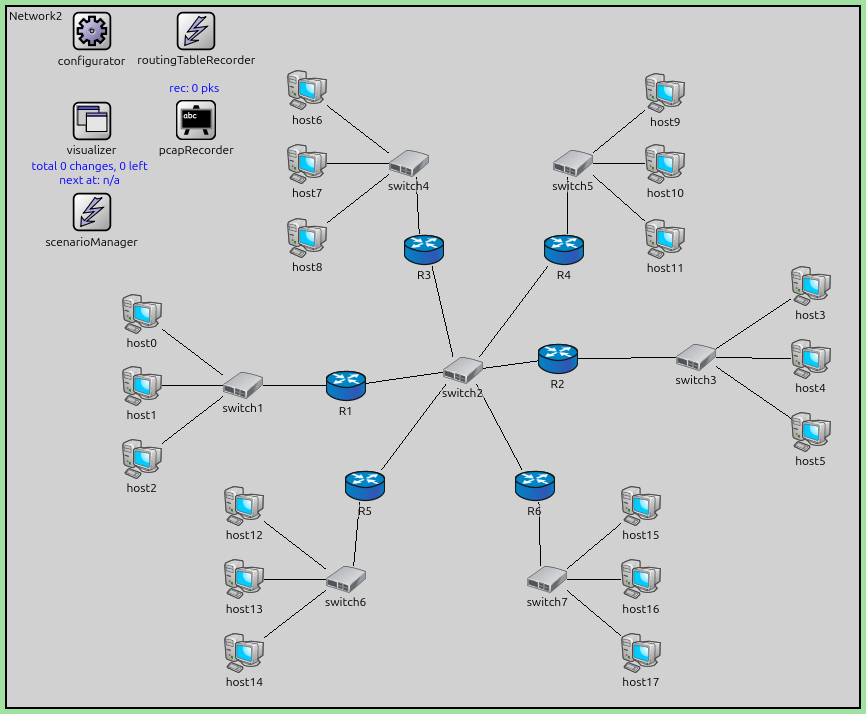
The configuration in omnetpp.ini is the following:
[Config Step9]
description = "High-priority OSPF router joins after OSPF DR/BDR election"
extends = Step6

# although R6 has the highest priority, but it does not trigger a DR/BDR re-election

*.R6.ospf.startupTime = 60s
Results
The simulation demonstrates non-preemptive election:
Initially, routers (excluding R6) elect a DR and BDR based on their priorities/Router IDs.
At t=60s, R6 starts OSPF and joins the multi-access network.
R6 has the highest priority and could theoretically become the DR.
However, since a DR and BDR already exist, R6 does NOT trigger a re-election.
R6 becomes a DROther and forms adjacencies with the existing DR and BDR.
The DR and BDR remain unchanged despite R6’s higher priority.
This behavior ensures OSPF network stability. If a re-election was needed, the administrator would need to manually restart OSPF on the current DR/BDR or take other administrative action.
The OSPF logs show R6 joining the network and accepting the existing DR/BDR without triggering an election.
Sources:
omnetpp.ini,
Network2.ned
Discussion
Use this page in the GitHub issue tracker for commenting on this tutorial.