Step 4. Router LSA
Goals
The goal of this step is to examine the structure and content of Router LSAs (Type-1 LSAs).
Router LSAs are the fundamental building blocks of OSPF’s link-state database. Each router generates a Router LSA describing its own links (connections to networks and other routers). The Router LSA includes information about each link’s type, ID, metric (cost), and other attributes. By collecting all Router LSAs, each OSPF router builds a complete graph of the area topology.
Configuration
This step uses the RouterLSA network topology.
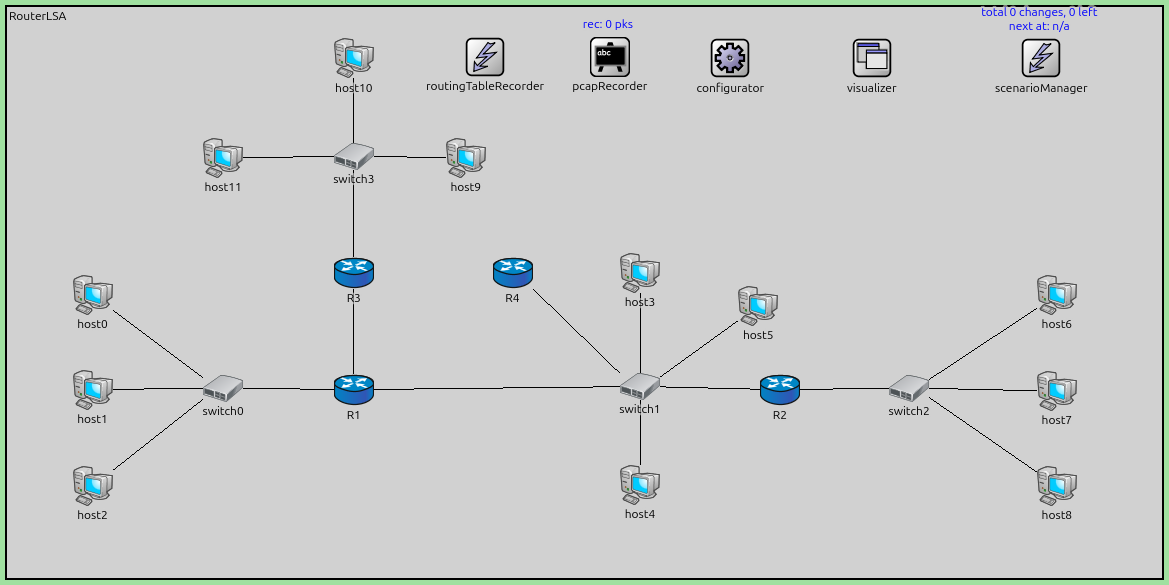
The configuration in omnetpp.ini is the following:
[Config Step4]
description = "Router LSA"
network = RouterLSA

# what does a router LSA look like?

*.configurator.config = xml("<config> \
                                <interface hosts='**' address='10.x.x.x' netmask='255.x.x.x'/> \
                                <route hosts='host*' destination='*' netmask='0.0.0.0' interface='eth0' /> \
                             </config>")

# application parameters
*.host0.numApps = 1
*.host0.app[0].typename = "PingApp"
*.host0.app[0].destAddr = "host6"
*.host0.app[0].startTime = 60s
Results
Each router in the network generates a Router LSA describing its links:
Point-to-point links: Described with the neighbor’s Router ID and the link cost.
Transit network links (Ethernet/multi-access): Described with the Designated Router’s IP address and the link cost.
Stub network links: Described with the network address, netmask, and cost (e.g., for host routes or passive interfaces).
The OSPF module logs show the Router LSA contents, including:
LSA header (age, Router ID, sequence number)
Number of links
For each link: type, Link ID, Link Data, metric
By examining the Router LSAs in the LSDB, you can see exactly how each router views its local topology, and how all these LSAs together form a complete picture of the area.
Sources:
omnetpp.ini,
RouterLSA.ned
Discussion
Use this page in the GitHub issue tracker for commenting on this tutorial.